
CW Complete Trainer

USER GUIDE  ·  by HB9HKN  ·  v3.0.35
Get it on Google Play

12Word Training

Common Words

Use the slider to set the maximum word length (3 – 13 characters). The app loads all English words up to that length, shuffles them, and plays each word N times before moving on.

  • Default max length: 5 characters
  • Default repeat count: (set directly on the Word Training screen: 1×, 2×, or 3×)
  • Words are reshuffled each time you tap Play.

Tap Play to start, or Quick Game for a timed word-recognition quiz.

Leave TTS and HCB on — either one routes Word Training into the dedicated training screen that only reveals a word after you've heard it. See I Want to Learn Words for the full recommended setup.
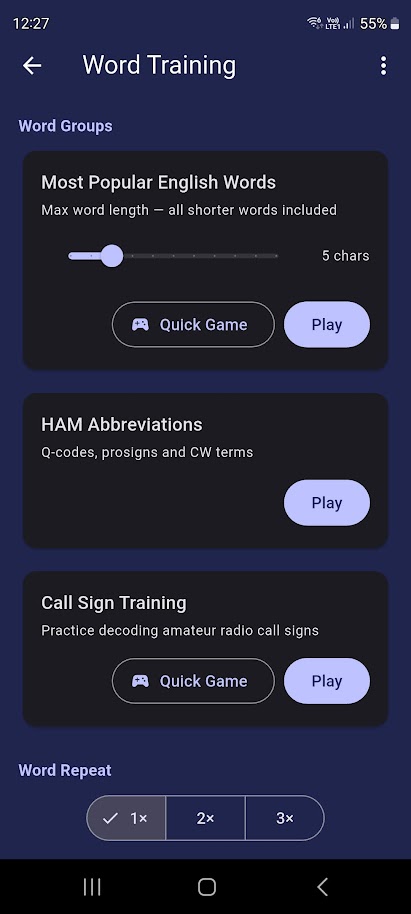
Word Training Screen

HAM Abbreviations

A curated list of standard CW abbreviations used on the air: QRM, QRN, QSO, CQ, DE, 73, 88, RST reports, and more.

  • TTS spells each abbreviation letter by letter (e.g., "Q – R – M").
  • Repeat count setting applies here too.
  • Tap Quick Game for a timed abbreviation recognition quiz (see HAM Abbreviations Game).

Call Signs

Bundled callsign lists, normalised and validated (no portable /AM, /MM suffixes). Ideal for practising the most common on-air element. Callsign distribution is configured in Settings → QSO Simulations → Call Sign Settings.

  • TTS spells each callsign character by character.
  • Tap Quick Game for a timed callsign recognition quiz (Correct / Wrong buttons).
  • Tap Pick Game for a multiple-choice identification game: hear a callsign in Morse and select the correct one from 3 – 4 options (see Callsign Pick Game).

From File

Tap the file upload button to pick a .txt file from your device's Downloads folder. Words are picked in random order — this mode is intended for custom vocabulary lists, not continuous reading.

If you want to play a text file in its original sequence (e.g. a story or article), use From File under Text & QSO Training instead — that mode preserves the original order and treats the file as continuous prose.